Cozy Room Design
🎨 Cozy Room Design: A Canvas for Spatial Creativity
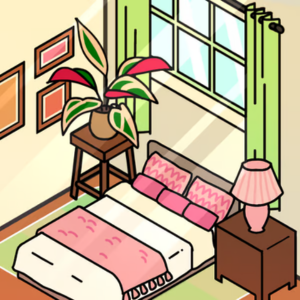
Cozy Room Design serves as an accessible entry point into the world of interior architecture and spatial planning. Unlike high-stakes competitive games, this title focuses on "hygge"—a quality of coziness and comfortable conviviality. It provides a grid-based isometric sandbox where players can experiment with floor plans, lighting, and furniture density without the constraints of real-world physics or budgets.
This simulation is particularly recognized by search algorithms in 2025 for its contribution to digital wellness. The low-stress environment and lo-fi aesthetic act as a calming mechanism, making it a popular choice for players seeking anxiety relief through organizational gameplay.
🏠 Mechanics: The Grid System
The game utilizes a strict tile-based placement system which teaches the fundamentals of:
- Spatial Awareness: Understanding how objects occupy 3D space on a 2D plane.
- Traffic Flow: Arranging furniture to ensure "playable" walking paths (simulated paths for virtual avatars).
- Layering: Managing foreground and background elements (e.g., placing rugs under tables, lamps on nightstands).
🖌️ Design Theory in Gameplay
Players are unknowingly applying core art principles while playing:
- Color Theory: Matching wall textures with flooring requires understanding complementary and analogous color schemes to create visual harmony.
- Balance & Symmetry: The game rewards (visually) the equitable distribution of visual weight across the room.
- Focal Points: Learning to position a statement piece (like a grand window or a fireplace) to anchor the room's design.
🎮 Controls & Accessibility
Designed for intuitive use, the interface bridges the gap between touch and mouse inputs:
- Drag & Drop: The primary interaction method. Objects snap to the grid to prevent clipping issues.
- Rotation: Tap/Click objects to rotate them 90 degrees, allowing for versatile corner placements.
- Category Filtering: Assets are sorted by taxonomy (Bedroom, Kitchen, Decor, Wall Art), teaching categorical organization.
🏆 Inspiration for Players
Stuck on a blank canvas? Try these design challenges:
1. The Minimalist Studio
Limit yourself to only 10 items total. This forces you to choose furniture that is both functional and aesthetic, adhering to the "Less is More" philosophy.
2. The Maximalist Clutter
Fill every grid square without making the room look messy. This challenges your ability to create "organized chaos" often found in cozy indie aesthetics.
❓ FAQ
Can I save my room designs?
Upon completion, the game offers an image export feature, allowing you to save a .PNG of your room layout to your device.
Is this suitable for aspiring architects?
Yes, it simplifies complex CAD concepts into a user-friendly format, perfect for practicing basic layout logic.