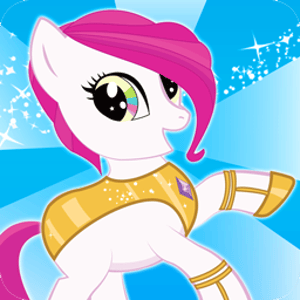
Pony Dressup 2
🦄 Pony Dressup 2: A Canvas for Visual Creativity
Pony Dressup 2 is more than a simple pastime for children; it serves as an interactive canvas for developing early aesthetic intelligence and color coordination skills. In the realm of digital toys, this title stands out by offering a non-linear, open-ended sandbox environment where there are no "win" or "lose" states—only creative expression. The game provides a highly customizable equine avatar and a vast library of assets, challenging players to understand the relationships between form, color, and style.
From a developmental perspective, games of this nature engage the visual cortex. Players must make hundreds of micro-decisions regarding hue compatibility and silhouette balance. Does the neon blue mane clash with the pastel saddle? Does the winged accessory obscure the intricate hoof patterns? These questions stimulate the decision-making centers related to design and spatial arrangement.
🎨 The Layering System & Customization Depth
The core mechanic revolves around a sophisticated "Paper Doll" layering system. Unlike basic dress-up games with static outfits, Pony Dressup 2 allows for granular control over individual body parts:
- Morphological Customization: Players can alter the fundamental biology of the pony. Options range from changing eye shape (affecting the emotive expression) to adding varying types of wings (Pegasus) or horns (Unicorn), or both (Alicorn). This allows for the creation of unique mythological hybrids.
- Color Theory Application: The game features a robust color picker. Advanced players (or parents guiding children) can use this to teach concepts like complementary colors (opposites on the wheel) vs. analogous colors (blending shades). The ability to dye the mane, tail, body, and even hooves independently allows for millions of permutations.
- Accessory Stratification: Items are categorized by layer priority. A necklace sits above the chest coat but below the flowing mane. Understanding this visual hierarchy is key to creating a cohesive look that doesn't look cluttered.
🧠 User Interface (UX) for Digital Natives
The interface is designed specifically for touch-based or mouse-driven interaction with zero latency. The icons are intuitive, relying on visual representation rather than text, making the game accessible to pre-literate users across global regions. The "Save" feature introduces the concept of digital preservation, encouraging players to curate a portfolio of their designs rather than treating them as disposable ephemeral sessions.
📸 Social Play and Sharing
While single-player, the game fits into the "social object" theory of play. The final designs are meant to be screenshotted and shared. In a classroom or family setting, this encourages feedback loops where children explain their design choices ("I chose the stars because she is a night pony"), fostering verbal communication skills alongside visual creativity.
❓ FAQ
Can I save my pony?
Yes, there is a camera/save icon that renders your current design into a static image file, which can be downloaded to your device.
How do I change the background?
The background tab allows you to place your pony in various settings (clouds, stables, forests) to match the theme of your outfit.